
IPhone Notification.

IF YOU LIKE THIS POST PLEASE SHARE AND LIKE APKREVIEW4U =========>
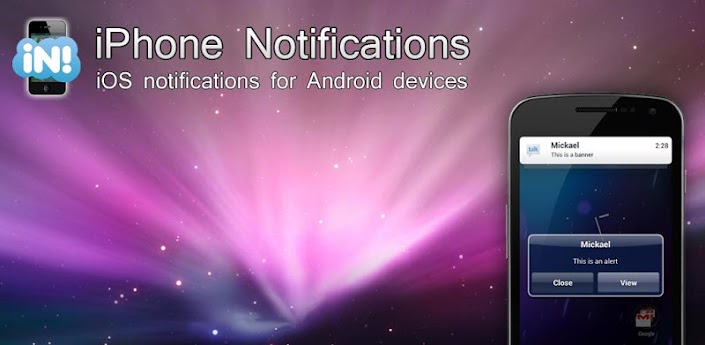


   This is a notification app which is similar to the iPhone.It notifies you about missed calls,usread messages,unread emails .You can even configure it to monitor your Facebook messenger and Gtalk or yahoo messenger so that it can notify you about them.
       The notifications may be of two types either the "Alerts" which pop up at the centre of your screen or
 " Banners" which show up on the top of your screen.The Alerts come with two options "Show" and " Dismiss".

WANT A COMPLETE IPHONE USER INTERFACE FOR ANDROID?


Comments

Popular posts from this blog

How to Optimize Android Performance Using Hidden Developer Options

Speed Up Your Android: Simple Developer Settings to Try Today.  If your Android phone sometimes feels sluggish or doesn’t respond as quickly as you’d like, there’s a set of hidden tools built into the system that most users never touch. These are the Developer Options — a menu Google originally meant for programmers, but which also includes powerful tweaks that can make your phone feel faster and more responsive. Before we dive into specific settings, you first need to unlock this hidden menu. To do that, open Settings → About Phone , find the Build Number , and tap it seven times . You’ll see a prompt confirming you’re now a developer. Then return to the main Settings page and look for Developer Options — it may be under System or Additional Settings depending on your phone. Make Animations Feel Faster One of the easiest ways to change how fast your phone feels is by adjusting its animations. Android uses subtle motion when you open apps, switch screens, or interact with men...

How to use What's App on PC?

  What's app is an amazing cross platform messaging application available for mostly every kind of device ranging from a high end smartphones to a low end keypad phones. Prerequsites: 1)PC 2)Bluestacks App Player 3)Active Internet Connection STEP 1: Download Bluestacks App Player From here. STEP 2: Set Up a Google account.Go to settings>Accounts And Sync>Add Account>Google STEP 3: After finishing the Account setup.Open the Play store>Search for Whats app>Download and install Whats App. STEP 4: Open What's App>Agree and Continue>Select Your Country>Enter Your Phone Number STEP 5: The SMS Verifiacation will not Work.Don't worry Go for Voice Verification.Select 'Call Me'. STEP 6: Enter the activation Code which the lady tells you  in the Call in the space provided. And now the Verification is done. You can now send millions of messages to your friends.Make sure you have the all your contacts in Bluestacks.

HOW TO FLASH CWM RECOVERY ON GALAXY FIT GTS 5670?

A STEP BY STEP GUIDE TO FLASH CWM RECOVERY ON GALAXY FIT USING ODIN MULTI DOWNLOADER. __________________________________________________________________________________ NOTE: BY DOING THIS YOUR WARRANTY IS GOING TO GET VOID.FOLLOW EACH STEP CAREFULLY.IF YOUR PHONE GETS BRICKED I WILL NOT BE HELD RESPONSIBLE.YOU ARE DOING THIS AT YOUR OWN RISK. __________________________________________________________________________________ STEP 1) Download this file. CWM.RAR   PassWord: zonealpha STEP 2) Extract the files.Open Odin Multidownloader. STEP 3) Then put your phone in download mod by long pressing = volume down + home key + lock key. STEP 4) Connect  phone to your pc. STEP 5) It must be detected by odin. STEP 6) Click on Select OPS and navigate to the  BENI_v1.0.ops and select it. STEP 7) Now Check the ONE PACKAGE box and Select the Package file" beni_cwm-5_ext4_v2.tar". STEP 8) Click START. Let the recovery be installed. WANT TO KNOW HOW TO FLASH ROMS ON GALAXY FIT...